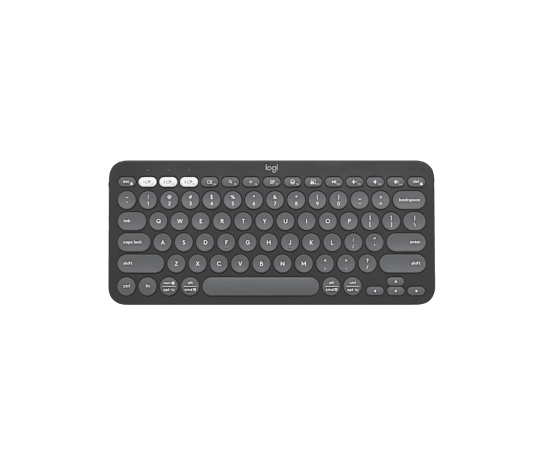
The Logitech Pebble Keys 2 K380s is a compact Bluetooth keyboard worth considering when you want to move between a computer, tablet, and phone. Its three-device switching is the main attraction; check your operating system and shortcut needs before buying, and do not assume the standalone keyboard includes a USB receiver.
Search Amazon for Logitech Pebble Keys 2 K380s
Who this compact keyboard may suit
Logitech describes a slim, portable design with rounded, low-profile keys and quiet typing. Those are manufacturer descriptions, not findings from a hands-on test. The practical appeal is a keyboard you can move between workspaces without treating it as a permanent desk fixture. If typing feel matters more to you than portability, try the keys in person or check the retailer's return terms.
Switching between devices
The K380s supports pairing with three devices through Easy-Switch. A short press selects a paired device; holding a channel button for three seconds starts pairing. See Logitech's setup guide for the sequence.
For a mixed-device workspace, write down the actual computer, tablet, and phone you intend to use. Check each against the current compatibility information before ordering. A familiar brand name alone is not enough to establish that every feature will behave identically across those devices.
Shortcut customization has limits
Logitech documents ten customizable keys through Logi Options+. Its support table also shows that shortcut behavior varies by operating system. Verify the shortcuts you actually use, rather than assuming that a key's label guarantees the same action everywhere.
Batteries and everyday expectations
Logitech specifies two AAA alkaline batteries and estimates up to 36 months of use. That is a manufacturer estimate, not a battery test performed by Goods Observer.
Check the exact listing before you order
- Look for Pebble Keys 2 K380s, and verify the layout, color, and model number. The US Tonal Graphite manufacturer page identifies part 920-011775.
- Confirm whether you are selecting a standalone keyboard or a bundle. Included accessories can differ.
- Read the seller, condition, return terms, and current price on the retailer's page.
The Amazon link above opens a model search, so compare the results carefully. It is not a claim that a particular seller, offer, or configuration has been verified.
Common setup questions
Does the standalone K380s include a Logi Bolt receiver?
Logitech says the receiver is included only with the Pebble 2 Combo. Check the exact bundle contents before buying.
How can I switch the top row to function keys?
Logitech documents Fn + Esc as the shortcut for switching between media shortcuts and function keys.
Sources and limitations
This guide was prepared with AI assistance from the Logitech US product page and Logitech setup documentation, checked November 14, 2026. We have not tested the keyboard. Buying advice here is interpretation of the documented features, not measured performance or a verified retailer offer.